 English
 France
  Spain
Spain Food Packaging Artwork Approval: A Buyer’s Checklist
Artwork approval is a production release, not a casual visual check. This guide covers dielines, copy ownership, preflight, color expectations, barcodes, proof levels and version control.
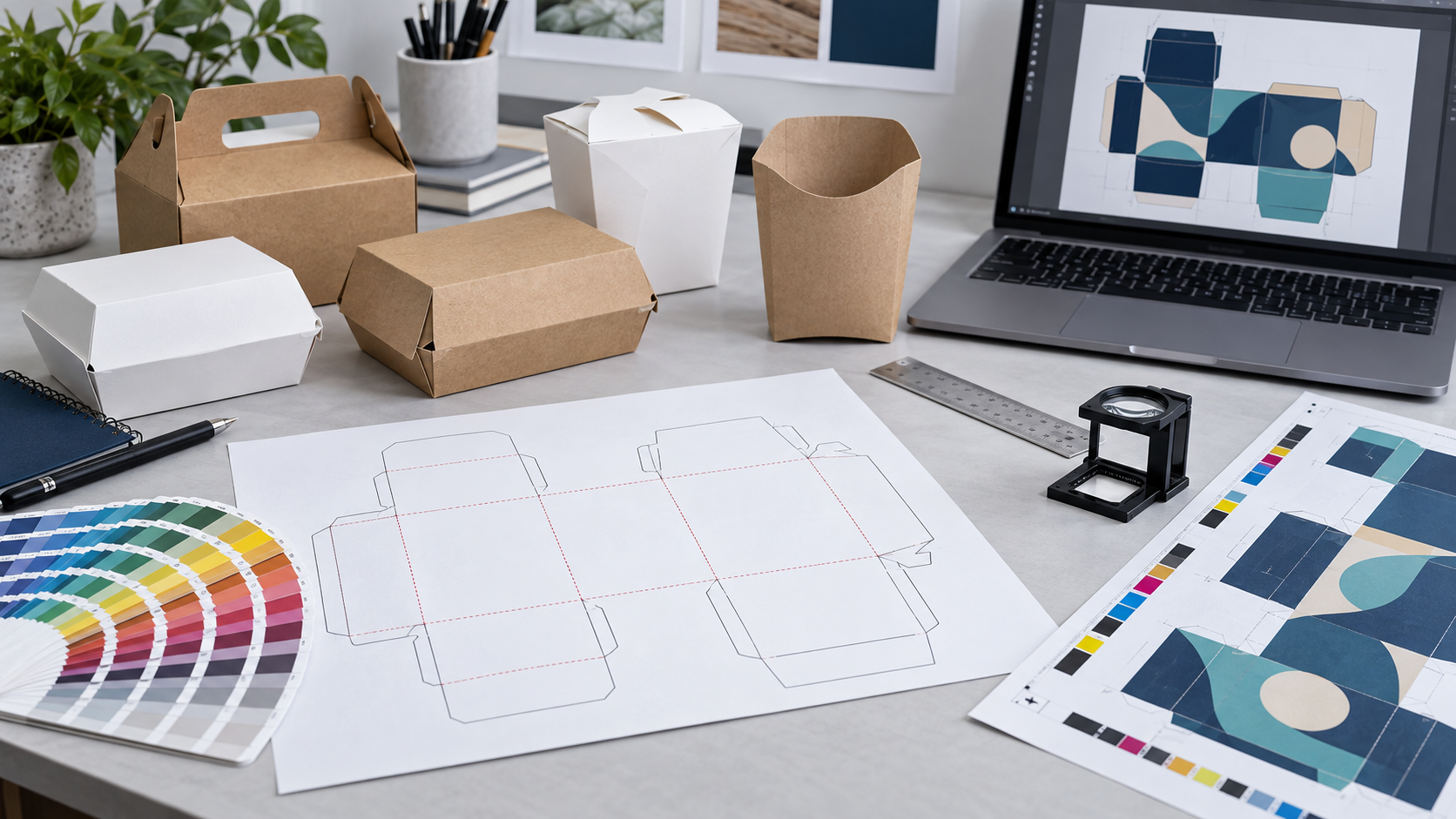
Direct answer: reliable food packaging artwork approval is a controlled production-release process. The buyer should approve an exact dieline and file revision after checking structure, copy, regulatory ownership, color setup, images, overprint, barcodes and variable-data areas. The approval record should also state which proof or physical sample was reviewed and what it can—and cannot—represent.
A PDF that “looks right” on one monitor is not enough. Packaging artwork wraps around folds, overlaps, closures and curved or tapered surfaces. Printing also converts digital colors through a defined process, ink set and substrate. Version control is therefore as important as visual design: the factory must know exactly which file is released, and the buyer must know which decisions remain subject to production tolerances or sample confirmation.
The four layers of food packaging artwork approval
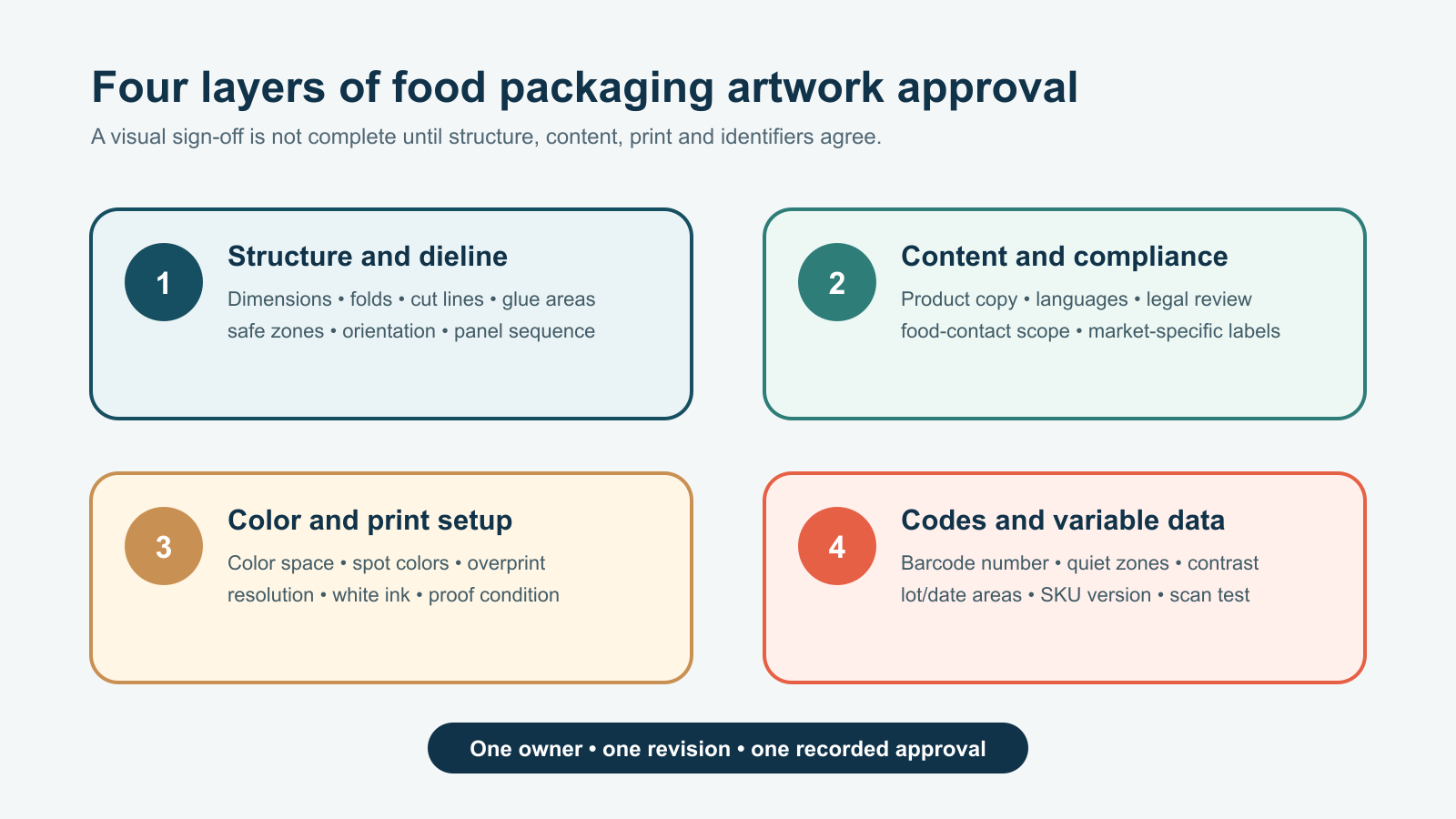
Different people may own different layers. A packaging engineer or supplier may control the dieline; the brand team controls logos and brand assets; a regulatory or legal owner controls required wording and claims; and the printer controls process-specific preparation. Name these owners in the brief. A designer should not be expected to provide legal approval, and a printer should not silently rewrite product claims.
| Approval layer | Buyer questions | Useful evidence |
|---|---|---|
| Structure | Is this the final size, closure, panel orientation and safe area? | Revision-controlled dieline and blank or printed structural sample |
| Content | Who approved names, languages, mandatory information and claims? | Marked copy deck or formal content sign-off |
| Which color space, spot colors, substrate and print condition apply? | Preflight report, separations and agreed proof | |
| Identifiers | Are barcode data, quiet zones and variable-data areas correct? | Number-owner approval and scan or verification record |
Control the dieline before placing artwork
The dieline defines where the package will be cut, creased, folded, glued and viewed. Confirm its finished dimensions, material thickness assumptions, closure, window or vent positions, glue areas, bleed and internal safe zones. Label panels by function—front, back, side, base, lid and hidden overlap—so the team does not rely only on how the flat drawing appears.
Do not resize a supplier dieline to fit an old design without structural review. Changing dimensions can alter panel fit, score positions, locking tabs and the relationship between artwork and folds. If an existing product is being adapted, issue a new revision rather than overwriting the previous master.
Use a plain structural sample early when size, opening, filling, lid fit or assembly matters. Artwork cannot fix an unsuitable structure. The buyer should approve the blank construction with the intended food or product before investing in detailed finishing and production files.
Approve copy, claims and market-specific content with named owners
Create a source copy document outside the artwork file. It should identify the SKU, market, language, product name, contact details, instructions, symbols and any required legal or recycling content. Each statement needs an owner and approval date. This reduces the chance that text is retyped or an obsolete claim survives because it happened to remain in a previous layout.
Packaging used only as an unlabelled takeaway container has different content requirements from retail food packaging that carries consumer information. For U.S. packaged foods, FDA’s Food Labeling Guide explains that artwork should not obscure required statements or misrepresent the food. The exact rules depend on the product and market; have the responsible regulatory specialist review required content before release.
For food-contact packaging, printing and decoration also belong to the construction review. The European Commission’s food-contact materials overview explains the general safety framework and good manufacturing practice. Confirm which printed surfaces may contact food, where set-off could occur during stacking, and what documentation applies to the inks, coatings and complete article in the destination market.
Preflight color, images and print settings
Preflight checks whether the file is technically ready for the agreed print process. At minimum, review document size, bleed, trim, safe zones, linked images, effective resolution, font handling, color spaces, spot-color names, transparency, overprint, white ink and finishing layers. Remove hidden or unused elements that could output unexpectedly.
Color approval needs a reference condition. A logo specified as a spot color is a different instruction from the same visual built from process CMYK. Kraft board, white board and coated substrates can make the same ink values appear different. Metallic foil, matte varnish, lamination and white ink can also change the result. Record the substrate and finishing route together with the target appearance.
ISO 12647-2:2013 specifies process parameters for offset lithographic production and includes packaging cardboard within its scope. ISO/TC 130 also publishes guidelines for using print-production standards, including the relationship between preflighted files, printing conditions and proofs. Cite a standard only when it matches the selected process and contract; do not convert it into a blanket promise about every press or material.
Check barcodes and variable data after placement
Barcode approval has two parts: the data owner confirms that the encoded identifier is correct, and the production workflow checks whether the printed symbol is likely to remain readable on the selected package. Size, quiet zones, color contrast, substrate, curvature, folds, seams and finishing can all affect scanning.
GS1’s official guidance on barcode quality checks highlights the check digit, quiet zones, contrast, symbol dimensions, height, packaging effects, print defects and position. A visual check on screen cannot replace appropriate verification of the produced symbol for the intended application.
Reserve and label areas for lot codes, dates or other variable information. Confirm the marking method, maximum character count, contrast and readable orientation on the formed package. If variable data is applied after the main print run, the master artwork should still show the permitted area and any “do not print” zone around it.
Use version control from brief to signed production release
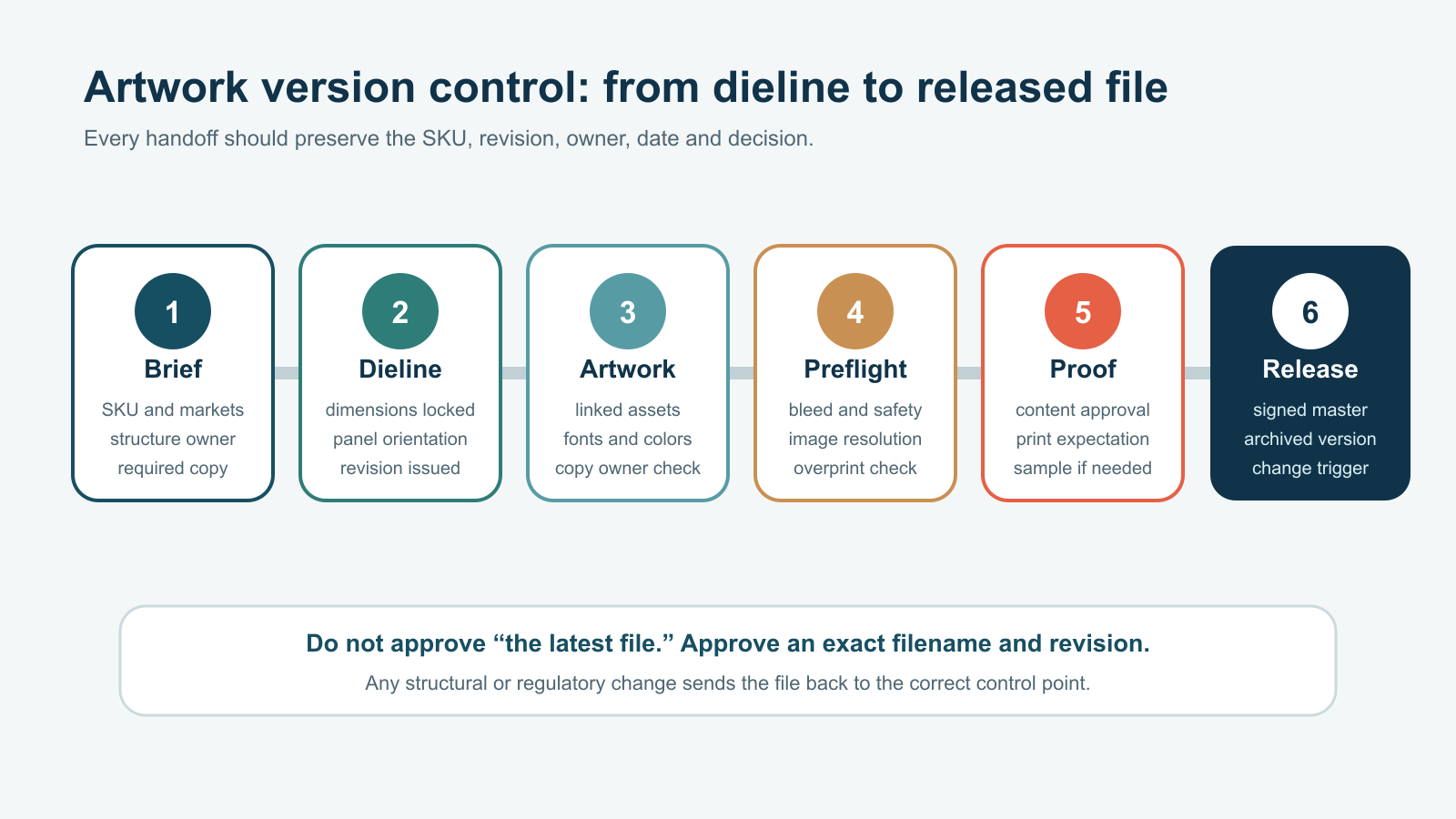
A simple naming convention prevents expensive ambiguity. Include the project or SKU, market, dieline revision, artwork revision and date. Lock the released master so later comments do not overwrite it. Store the copy source, dieline, supplied artwork, preflighted file, proof, approvals and final production reference together.
- One current SKU and market scope
- Exact dieline filename and revision
- Exact artwork filename and revision
- Owner approvals for structure, copy, brand and identifiers
- Print process, substrate, color and finishing assumptions
- Proof or sample identity and date
- Approved tolerances or acceptance references
- Change-control trigger and superseded-file archive
GLY PACK’s concept-to-custom-packaging workflow provides a useful place to begin a structural and print discussion. Buyers can also review the food paper box category to identify a starting format. Final dielines, materials, print methods, finishes, documents and sample requirements should be confirmed for the specific quotation.
Choose the proof level according to the decision
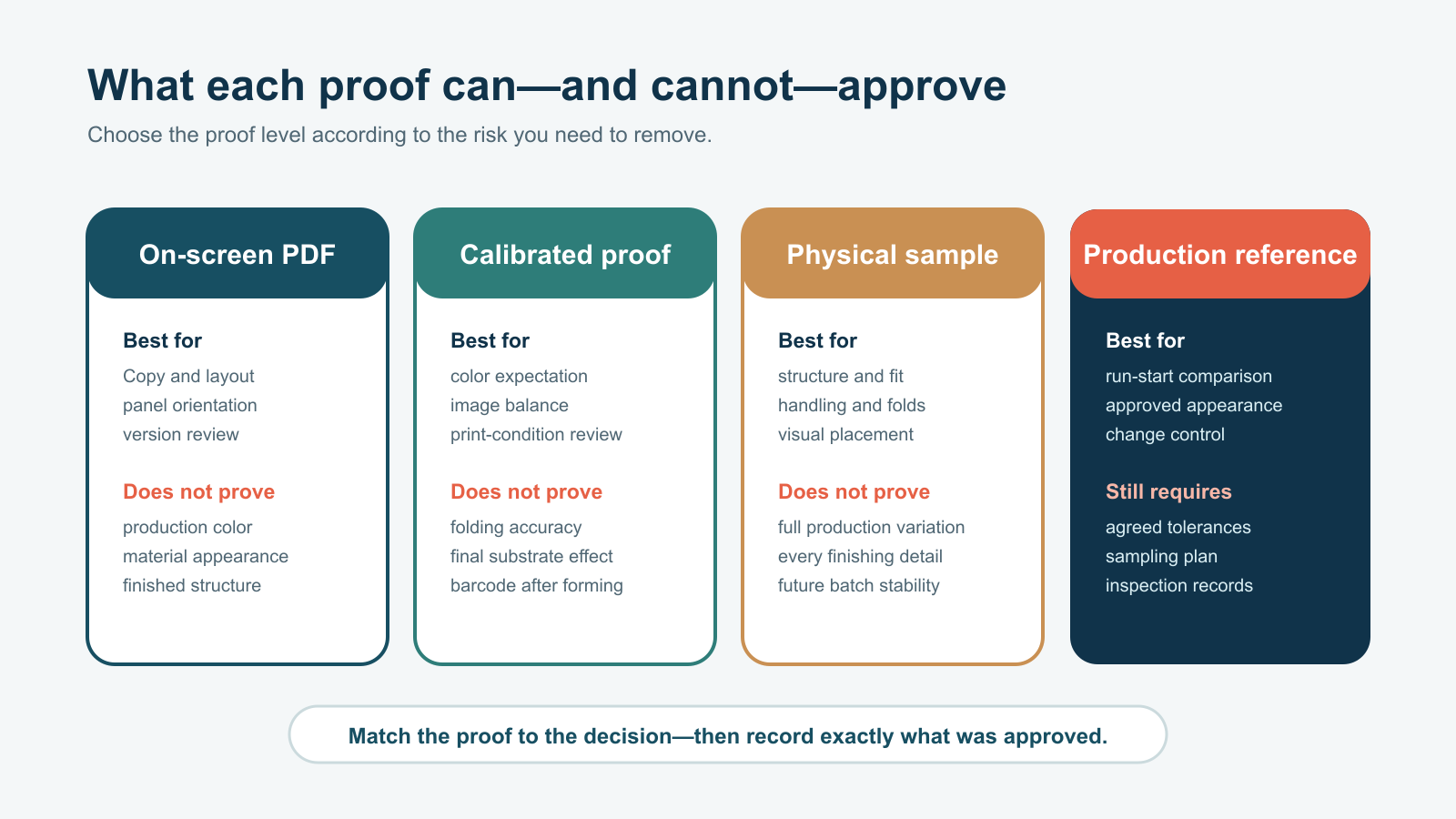
An on-screen PDF is efficient for copy, panel orientation and version review, but display calibration and substrate effects limit color conclusions. A calibrated proof can set a better print expectation when it references the intended printing condition, yet it still does not reproduce folds or every material and finish. A physical mock-up or printed sample supports structural and placement decisions, but one sample does not establish the full variation of a production run.
For high-risk color, finish or structure decisions, define what the production reference will be: a signed proof, an approved sample, agreed color values, a retained production sheet or a combination. Also define the sampling and inspection method used during the run. “Match the sample” is useful only when the sample is identified, preserved and relevant to the actual process.
| Proof type | Good approval use | Remaining limitation |
|---|---|---|
| On-screen PDF | Text, layout, revision and panel check | Not a reliable production-color reference |
| Calibrated proof | Color expectation and image balance | May not reproduce the final substrate, finish or formed structure |
| Physical sample | Fit, folds, opening, assembly and visual placement | May use a different sampling process or represent only one unit |
| Production reference | Run-start comparison and future change control | Still needs tolerances, inspection frequency and traceability |
Frequently asked questions
Who should approve custom packaging artwork?
Assign named owners for structure, brand assets, copy or regulatory content, barcode data and commercial release. One coordinator can collect the decisions, but specialist ownership should remain visible in the approval record.
Is a PDF proof enough before printing?
It may be enough for low-risk copy and layout decisions if the buyer accepts its limitations. Color-critical, structural, finishing or barcode risks may require a calibrated proof, a physical sample, produced-symbol verification or another agreed reference.
Should fonts be outlined?
Follow the printer’s current file specification. Outlining can avoid missing-font substitution, but it also removes editable text and may complicate corrections. Keep an editable source file and confirm how the released production PDF should handle fonts.
Can RGB images remain in the artwork?
That depends on the agreed color-managed workflow and print condition. Do not convert files blindly. The designer and printer should agree on the accepted color spaces, profiles, rendering approach and proof reference before release.
When must artwork be reapproved?
Reapproval is appropriate when the dieline, dimensions, material, print process, finishing, copy, market, barcode, color target or another controlled element changes. The change-control rule should be written into the project record.
Release one controlled file to production
Send GLY PACK the intended package format, dimensions, material preference, destination markets, editable artwork, brand references and proof requirements through the project inquiry page. The final food packaging artwork approval should identify one exact file revision, the proof or sample reviewed, the responsible approvers and any conditions still subject to production control.